
 NiceLight

Purchase
NiceLight
using Moneybookers 
for $2.99
Screenshots
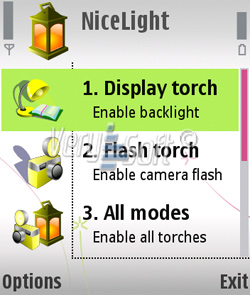
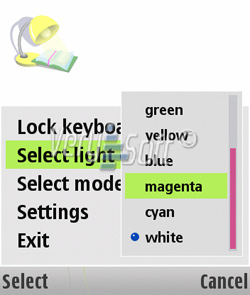
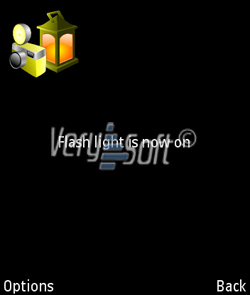
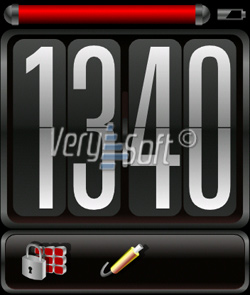
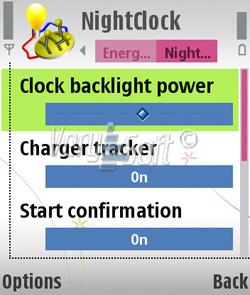
NiceLight - the professional torch and skinnable night clock provider for Symbian OS. It's fueled with backlight manager, battery control, autostart, color selection, charger tracker and even more. This program helps to turn your handheld into powerful torch with built-in screensaver with specially designed night clock and application backlight manager.
NiceLight features
- Triple mode torch (camera flash, display light, all modes);
- Night clock with skinnable interface;
- Battery discharge built-in control;
- Extended customization options;
- Applications backlight manager;
- Broken pixels detector;
- and even more when you try it;
NiceLight functionality and features design are capable to satisfy even the most exigent users. All management options are logically structured, so you need only couple of minutes to get use to it. Full information about all features and program management is available in the User's Manual.
System requirements
Application requires up to 1mb of ROM to install and up to 300 kb of RAM to operate.
Installation
- Transfer downloaded "NiceLight_v.1.0.sis" file to your mobile handheld;
- Open folder where it was stored. ("Inbox", by default);
- Start and complete installation dialog;
- Start the application.
User Guides
Download User's Manual: English (pdf: 350 kb), Russian (pdf: 428 kb).
Localization
NiceLight interface supports next languages: English, Russian.
Trial period
Trial period is limited to 7 days with next limitations:
- Selected style in the Night clock mode will not be saved after NiceLight quits;
- Automatic keyboard locker is not operable.